WakeMinder Mac reminder app iconWakeMinder
Contact Download

The Mac reminder app that intercepts distraction on wake.

Capture tasks on your iPhone or Apple Watch while away from your desk. WakeMinder forces them front-and-center the absolute second you lift your Mac’s lid, guarding your attention before browser tabs, unread emails, and Slack messages pull you off track.
Perfect for ADHD, busy professionals, and deep focus.

PRIVATE BY DESIGN

Zero third-party servers. Your data stays securely inside your personal iCloud.

It’s right there the second your Mac wakes, before tabs, emails, or Slack take over.

⚡ Instant wake pop-up
📱 iPhone & Apple Watch
🔗 iPhone-to-Mac links
📎 Files, images & PDFs
🔒 iCloud only
🧠 ADHD & deep focus
Platform

WakeMinder for Mac, iPhone, and Apple Watch

WakeMinder helps you capture reminders, links, files, images, screenshots, and PDFs away from your desk, then shows them on your Mac when it wakes. It is built for Mac users who want wake-first reminders, iPhone-to-Mac link handoff, file sharing, Apple Watch capture, and a cleaner way to act on important tasks before distractions take over.

Social Proof

Used by 20,000+ users

WakeMinder is growing through Reddit, Product Hunt, and the Mac community as a focused way to send reminders, links, files, screenshots, and PDFs from iPhone to Mac.

Why It Works

Why WakeMinder?

Designed to stay minimal, blue, and focused. WakeMinder V4 adds file sharing, image support, PDF sharing, and improved link handling.

Wake moment

Front-and-center Mac wake reminders

WakeMinder shows reminders when your Mac wakes, so your task appears before other apps and without Notification Center hunting.

Apple-native

iPhone & Apple Watch reminder sync

Dictate on Watch or type on iPhone; iCloud handles delivery to Mac.

Links

Send links from iPhone to Mac

Share a link from iPhone and WakeMinder opens it on your Mac when your Mac wakes, so you can continue reading or working later.

Files

Send files, screenshots, and PDFs to Mac

Share files, images, screenshots, and PDFs from iPhone and WakeMinder keeps them ready for the moment your Mac wakes.

Scheduling

Wake-only or timed

Wake-only, intervals, tomorrow, or any custom date and time.

Workflow

How WakeMinder works

Capture reminders, links, files, screenshots, images, and PDFs on iPhone and Apple Watch, then see them on Mac at the wake moment.

01 • Capture

Speak on Apple Watch, type on iPhone, or share a URL, file, image, screenshot, or PDF from iPhone. WakeMinder stores it through iCloud.

02 • Wake

Open your Mac. Your reminder is ready the moment your screen lights up.

03 • Act

The reminder fills the screen before other distractions. Click, open, execute.

Product Tour

Product tour

See how WakeMinder handles Mac wake reminders, iPhone-to-Mac link handoff, file sharing, Apple Watch capture, reminder history, and scheduling.

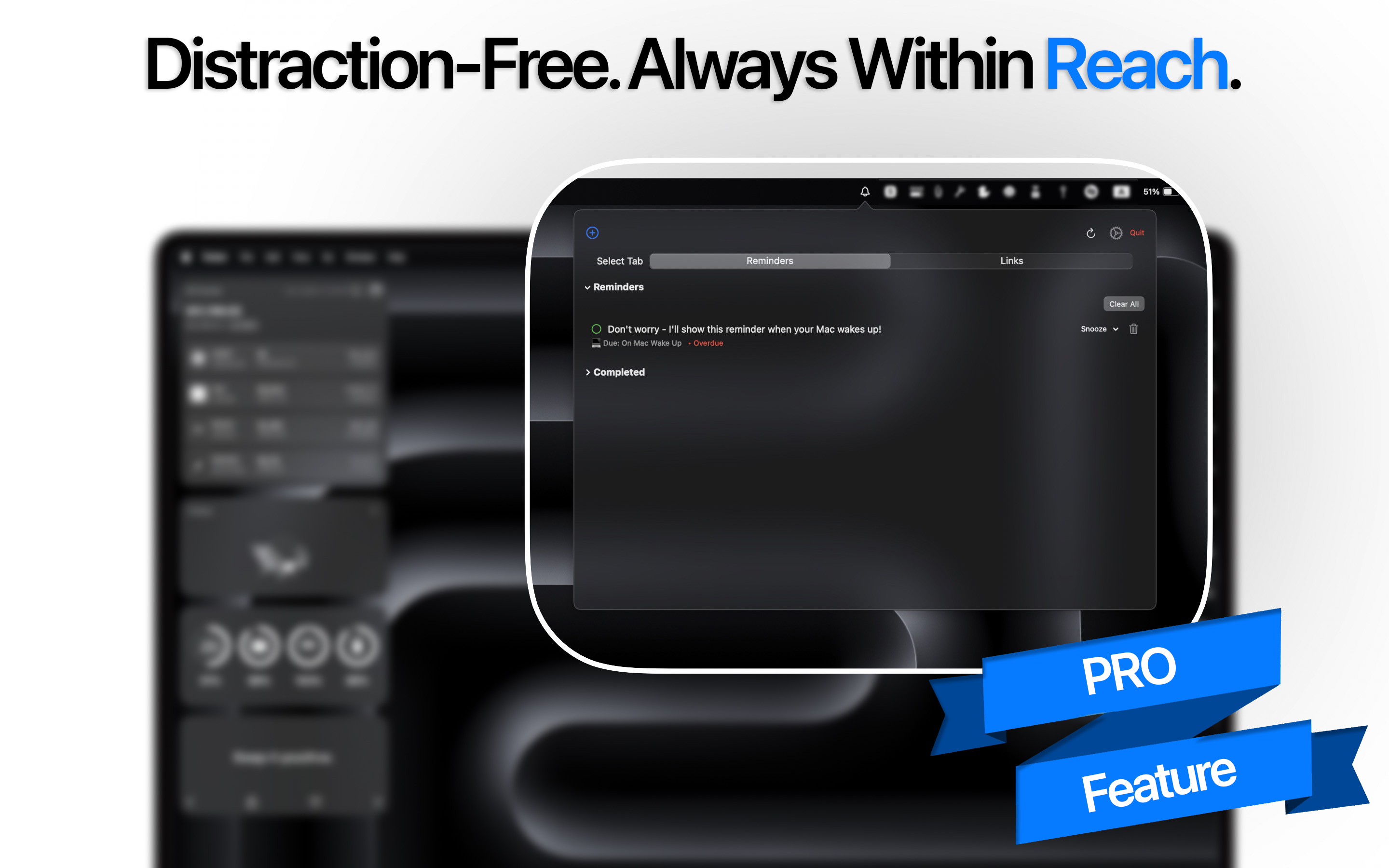
WakeMinder persistent popup window on macOS wake screen

Instant wake pop-up

Your reminder owns the wake moment.

WakeMinder iPhone reminder scheduling for Mac wake notifications

Precise scheduling

Wake-only, intervals, tomorrow, or custom time.

WakeMinder Apple Watch dictation syncing reminders to Mac

Watch capture

Dictate from your wrist - auto surfaces on Mac.

WakeMinder iPhone share sheet sending links to Mac on wake

iPhone-to-Mac link handoff

Send a link from iPhone to Mac and WakeMinder opens it when your Mac wakes.

WakeMinder reminder history on iPhone synced via iCloud

History

Review past reminders without losing context.

WakeMinder minimal macOS menu bar reminder app interface

Minimal Mac UI

Discrete menu bar presence that stays out of your way.

Testimonials

What users say

Real reviews from App Store users.

⭐ 4.5 average rating from 165 users

Combined ratings from the iOS and macOS versions of WakeMinder.

★★★★★

“Finally, a reminder that hits at the exact moment I need it - the second my Mac wakes. Game changer!”

Jessica M.
★★★★★

“I have ADHD and this app is a lifesaver. I remember something while walking, speak it into my watch, and it pops up on my Mac.”

Daniel K.
★★★★★

“Seamless syncing and minimal design - exactly what I needed to boost my workflow.”

Rebecca L.
★★★★★

“WakeMinder instantly changed how I manage my day. No other app syncs like this.”

Mike R.
★★★★★

“It’s a must-have tool if you want to be reminded at the right time - not buried under other notifications.”

Ali N.
★★★★★

“Works like magic. Open the Mac, and boom - the reminder is there before I forget it.”

Nina C.
★★★★★

“Hands down, the best reminder experience I’ve had across Apple devices.”

James L.
★★★★★

“I use it daily for work. It's fast, reliable, and totally stress-free.”

Sophie A.
★★★★★

“The iCloud sync makes it feel like a native Apple feature.”

Theo R.
★★★★★

“Nothing else helps me focus like WakeMinder does. Brilliant app.”

Yasmin G.
★★★★★

“Finally, a reminder that hits at the exact moment I need it - the second my Mac wakes. Game changer!”

Jessica M.
★★★★★

“I have ADHD and this app is a lifesaver. I remember something while walking, speak it into my watch, and it pops up on my Mac.”

Daniel K.
★★★★★

“Seamless syncing and minimal design - exactly what I needed to boost my workflow.”

Rebecca L.
★★★★★

“WakeMinder instantly changed how I manage my day. No other app syncs like this.”

Mike R.
★★★★★

“It’s a must-have tool if you want to be reminded at the right time - not buried under other notifications.”

Ali N.
★★★★★

“Works like magic. Open the Mac, and boom - the reminder is there before I forget it.”

Nina C.
★★★★★

“Hands down, the best reminder experience I’ve had across Apple devices.”

James L.
★★★★★

“I use it daily for work. It's fast, reliable, and totally stress-free.”

Sophie A.
★★★★★

“The iCloud sync makes it feel like a native Apple feature.”

Theo R.
★★★★★

“Nothing else helps me focus like WakeMinder does. Brilliant app.”

Yasmin G.
★★★★★

“Just the nudge I need to stay on task - perfect for busy workdays.”

Tara P.
★★★★★

“The fact that it works with Apple Watch is incredible. Super convenient.”

Ahmed Z.
★★★★★

“I’m more productive than ever. Simple idea, but executed perfectly.”

Carl B.
★★★★★

“Being able to speak reminders and have them appear when I open my Mac - genius.”

Priya S.
★★★★★

“This app saved my sanity. I no longer forget what I remembered 5 minutes ago.”

Sam W.
★★★★★

“Reminders pop up right when I need them. I don’t even have to think about it.”

Rachel V.
★★★★★

“Waking up my Mac and seeing my top priority front and center is genius.”

Julian T.
★★★★★

“I’m using WakeMinder daily - it’s now part of my routine and helps me stay focused.”

Monica H.
★★★★★

“The voice-to-Mac feature from my watch is the coolest thing I’ve used all year.”

Leo F.
★★★★★

“I haven’t missed a follow-up since installing this. It’s so simple, but powerful.”

Fatima A.
★★★★★

“Just the nudge I need to stay on task - perfect for busy workdays.”

Tara P.
★★★★★

“The fact that it works with Apple Watch is incredible. Super convenient.”

Ahmed Z.
★★★★★

“I’m more productive than ever. Simple idea, but executed perfectly.”

Carl B.
★★★★★

“Being able to speak reminders and have them appear when I open my Mac - genius.”

Priya S.
★★★★★

“This app saved my sanity. I no longer forget what I remembered 5 minutes ago.”

Sam W.
★★★★★

“Reminders pop up right when I need them. I don’t even have to think about it.”

Rachel V.
★★★★★

“Waking up my Mac and seeing my top priority front and center is genius.”

Julian T.
★★★★★

“I’m using WakeMinder daily - it’s now part of my routine and helps me stay focused.”

Monica H.
★★★★★

“The voice-to-Mac feature from my watch is the coolest thing I’ve used all year.”

Leo F.
★★★★★

“I haven’t missed a follow-up since installing this. It’s so simple, but powerful.”

Fatima A.
Pricing

Pick a plan

All include wake-first reminders, iCloud sync, and Apple Watch capture.

$1.99 / month
  • 3-day free trial
  • All pro features
  • Cancel anytime
Start monthly
Best value
$12.99 one time
  • $19.9935% off
  • Lifetime access
  • All future updates
  • No subscriptions
Go lifetime
$9.99 / year
  • 7-day free trial
  • Priority support
  • Best value
Start yearly
Learn More

Learn more about WakeMinder

Explore the main WakeMinder use cases for Mac wake reminders, iPhone-to-Mac link handoff, and file sharing.

FAQ

Frequently Asked Questions

Answers to the most common questions about WakeMinder, Apple Reminders sync, privacy, and Mac performance.

How does WakeMinder sync with Apple Reminders?

WakeMinder integrates natively with Apple Reminders through your personal iCloud account. Tasks you capture on iPhone or Apple Watch sync seamlessly across your Apple devices—no third-party servers, extra accounts, or manual exports required.

Is my data private inside WakeMinder?

Yes. WakeMinder uses no external databases, tracking pixel scripts, or third-party servers. Your reminders stay inside Apple’s iCloud ecosystem, secured by your Apple ID and Apple’s privacy infrastructure.

Does it drain Mac performance or battery?

No meaningful impact. WakeMinder is built entirely native for macOS, iOS, and watchOS. It uses zero background resources while your Mac is active and only listens for wake events when your Mac is asleep—keeping CPU and battery usage negligible.

Open full FAQ

Wake up ready.

Keep the wake moment clear. WakeMinder is built for Mac users who want reminders, links, and files ready the moment their Mac wakes.